
On the Reviews & Testimonials and the Share Your Memory pages, we encourage our site visitors to add their comments, thoughts and Christmas memories, including pictures. If you’re having trouble using these features, please refer to the instructions below:
Adding a comment
1. Scroll down until you see the following on the page:

Click the box that says “Start the discussion…” It will then change to look like the image below:
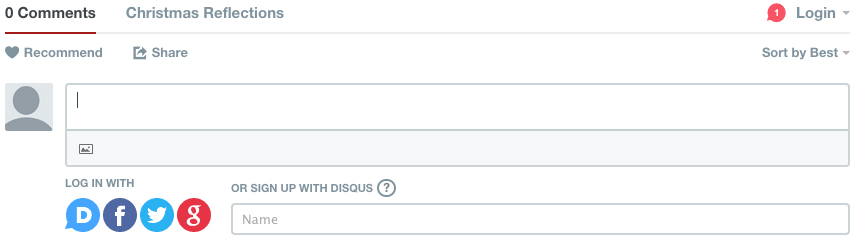
2. Write your comments/thoughts/memories in the box.
3. After you have written all you’d like to say, you must sign your name to submit your comment. You can sign in using Facebook, Twitter, Gmail or Disqus. If you don’t have any of these accounts and/or would like to sign in just using your name, click the box that says “Name,” as pictured above.
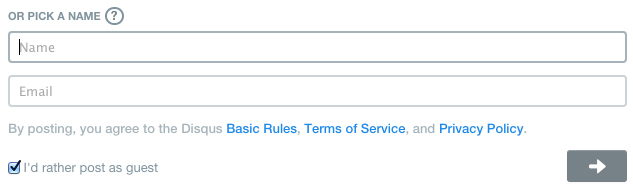
4. Select the box for “I’d rather post as guest”, as shown above. Enter your Name and Email address, then hit the arrow button (also shown above).
Your comment will then appear on the page.
Adding pictures
If you would like to include photos with your comment, please follow these instructions:
1. After writing your comment, click the small rectangular button indicated by the red arrow in the image below:

2. A window will open where you will be able to select the image(s) from your computer. Once you have selected the image file(s) from your computer, select Open. It should now appear below your comment as such:
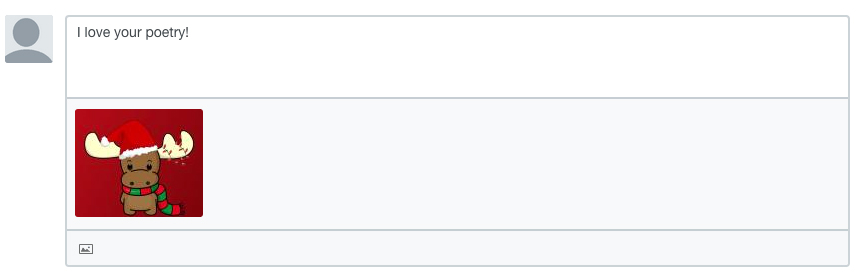
You can select multiple images to be included in your comment.
3. Sign in as in Steps 3-4 in the first section of this tutorial.